How to give us access to Direct and Metrica
We never need your password. You add our login to your own account yourself — it takes a couple of clicks, can be undone just as fast and gives no access to your money. Every step below has a screenshot: the red frame shows where to click, the number shows the order. The Yandex interface is in Russian, so button names are given in Russian with a translation.
genosai
This is the agency account genosai@yandex.com. In the “Логин” (login) field type just genosai — no @ and no “yandex.com”. Sign in to your account with the login it belongs to (the Metrica tag owner and the chief representative in Direct).
Yandex Direct
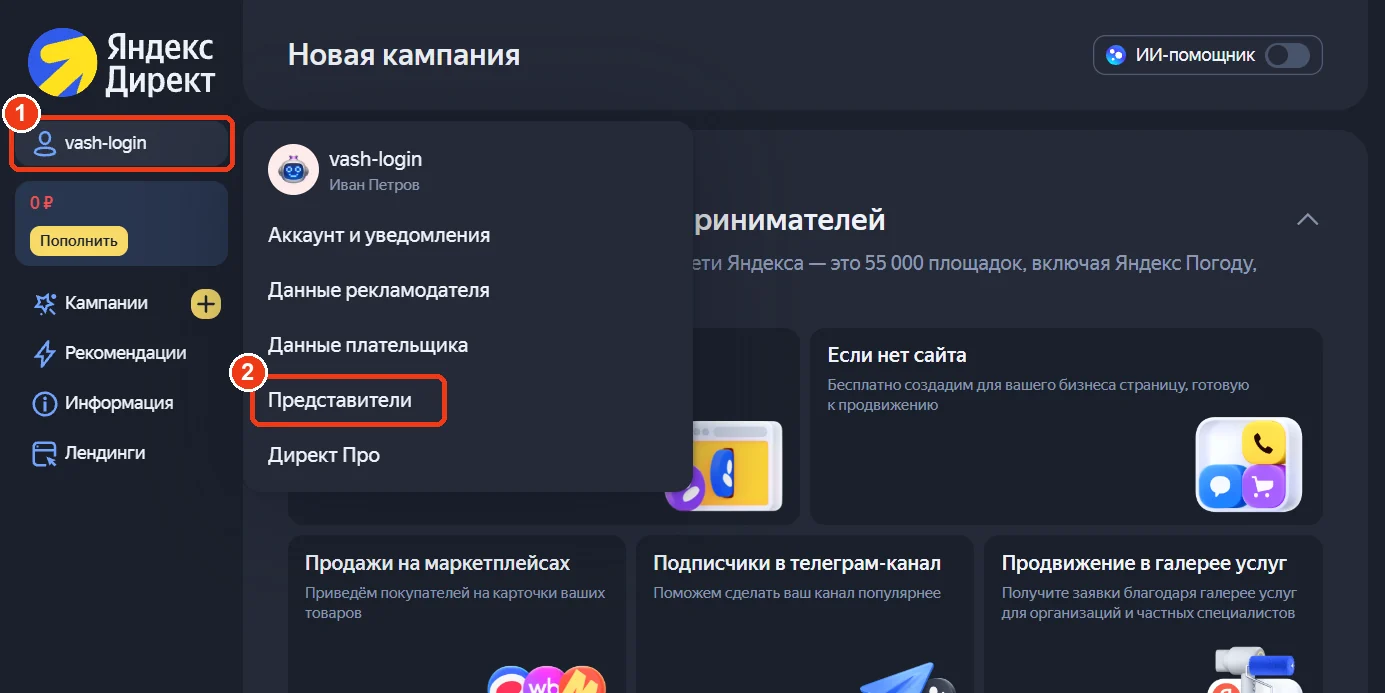
Open Direct and click your login
Go to direct.yandex.ru. Top left, click your user name (1) and choose «Представители» — Representatives (2). In Direct Pro the same page is under «Инструменты» → «Ваши представители» (Tools → Your representatives).
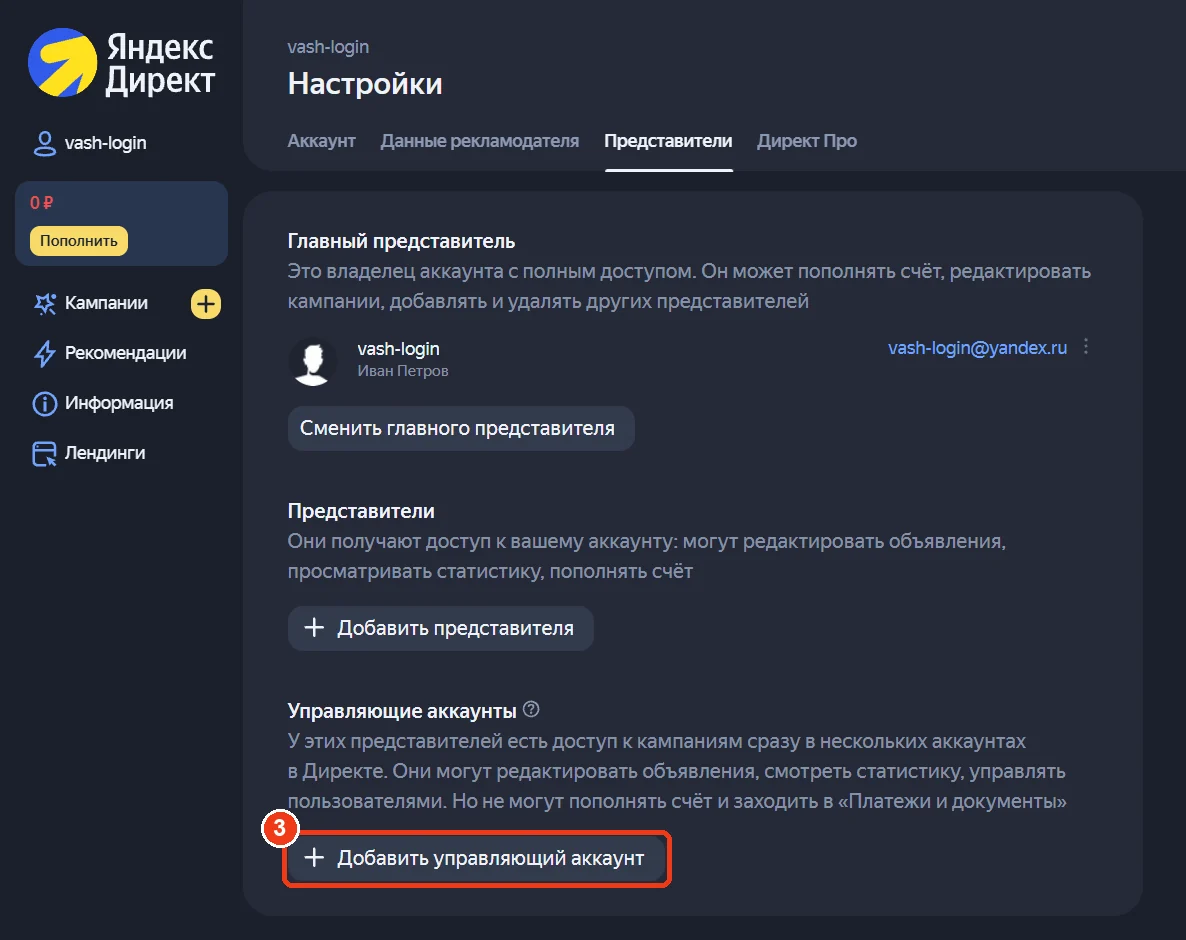
Click «Добавить управляющий аккаунт»
Scroll to the bottom block «Управляющие аккаунты» (Manager accounts) and click «Добавить управляющий аккаунт» — Add manager account (3).
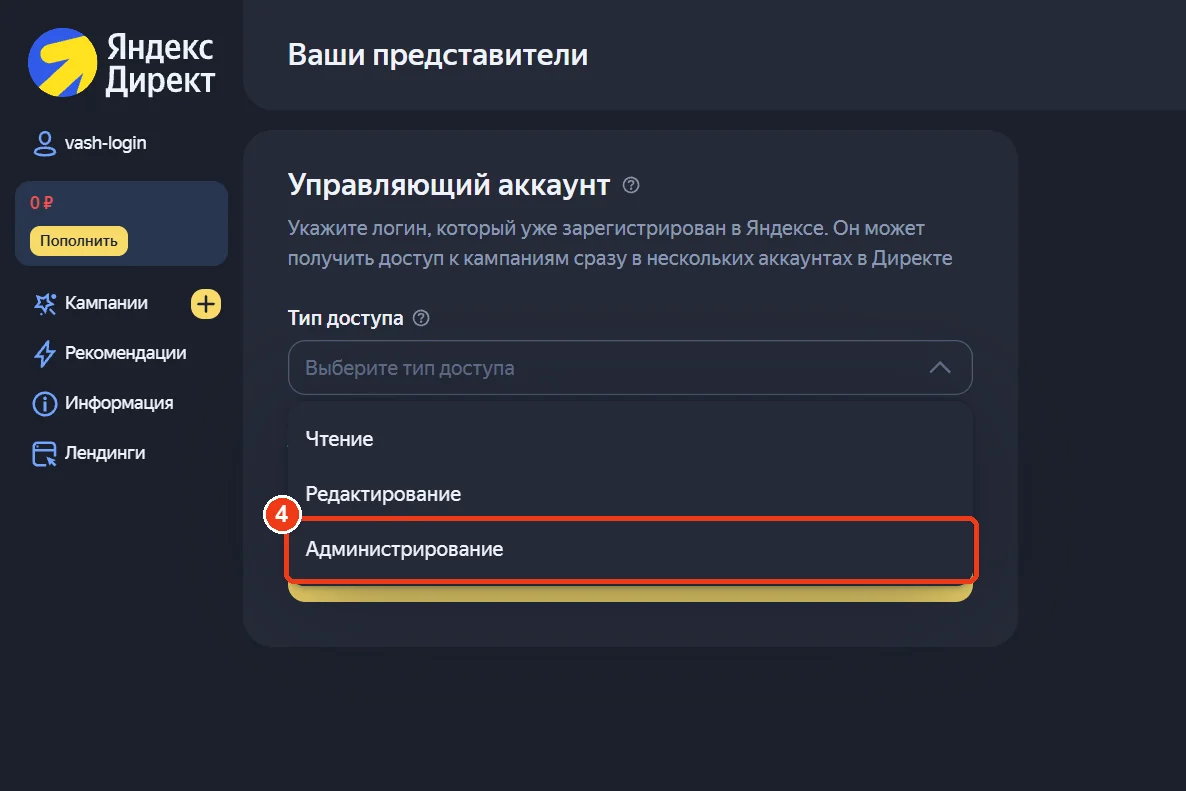
Access type «Администрирование»
Open «Тип доступа» (Access type) and pick «Администрирование» — Administration (4). It lets us run campaigns and see statistics, but not top up the balance or see payment documents.
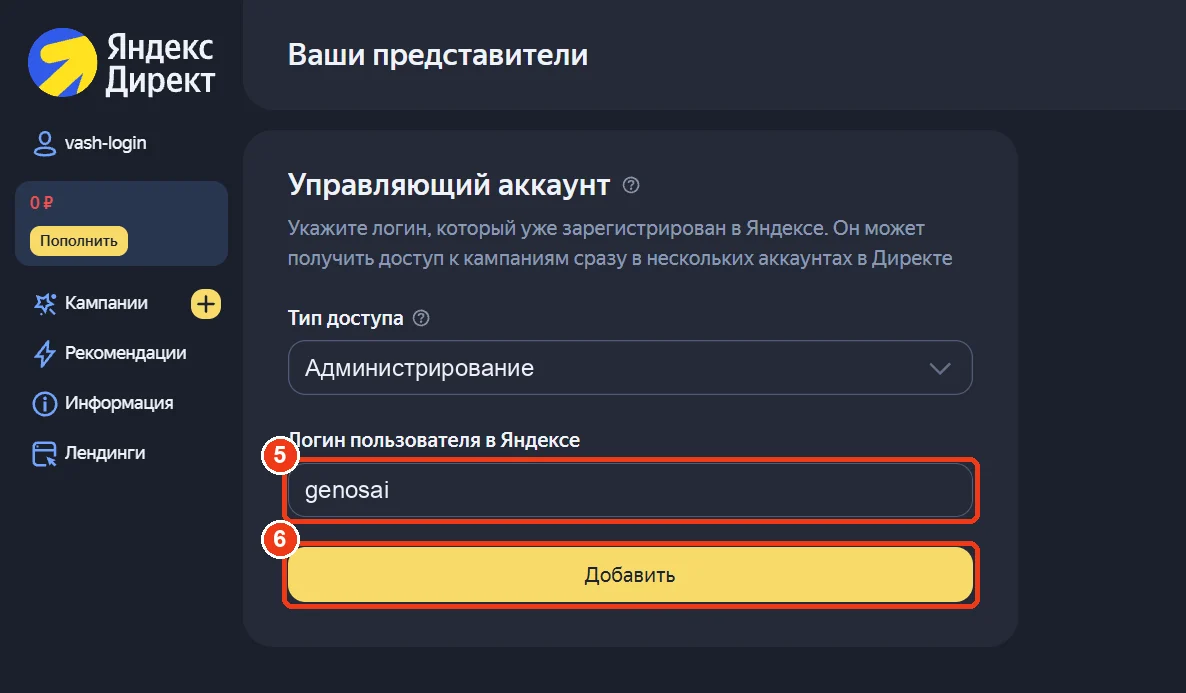
Type genosai and click «Добавить»
In «Логин пользователя в Яндексе» type genosai (5) and click the yellow «Добавить» — Add (6). We receive an invitation in Direct, accept it, and access starts working.
Yandex Metrica
Open the tag settings
Go to metrika.yandex.ru and click the gear icon next to your site (1). Repeat for every site if you have several.

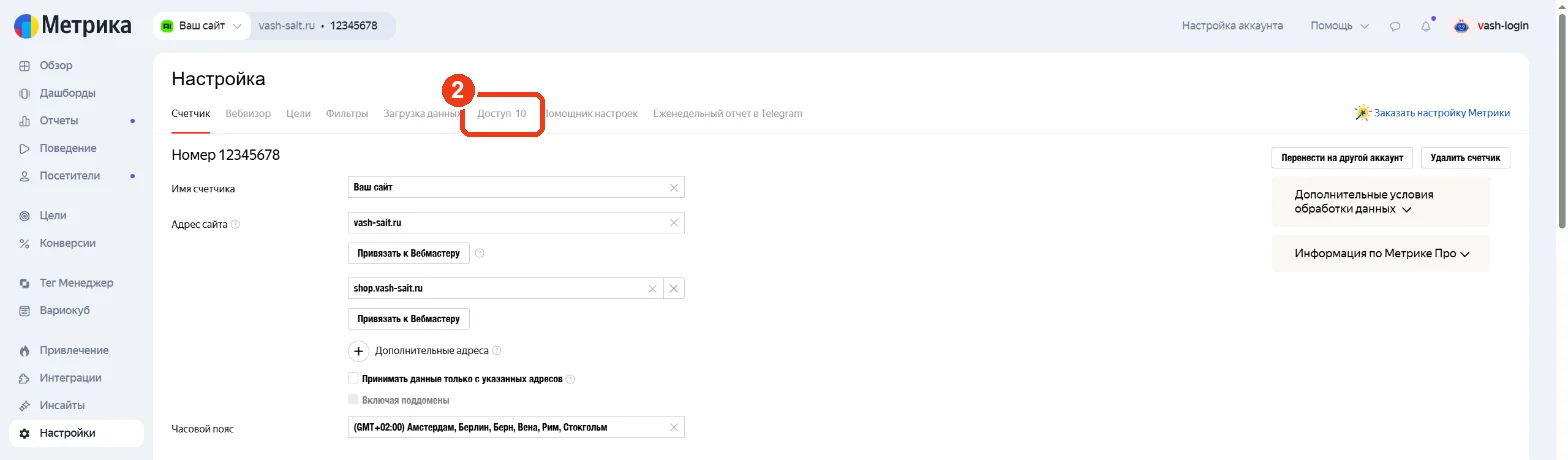
Open the «Доступ» tab
Click the «Доступ» (Access) tab (2).
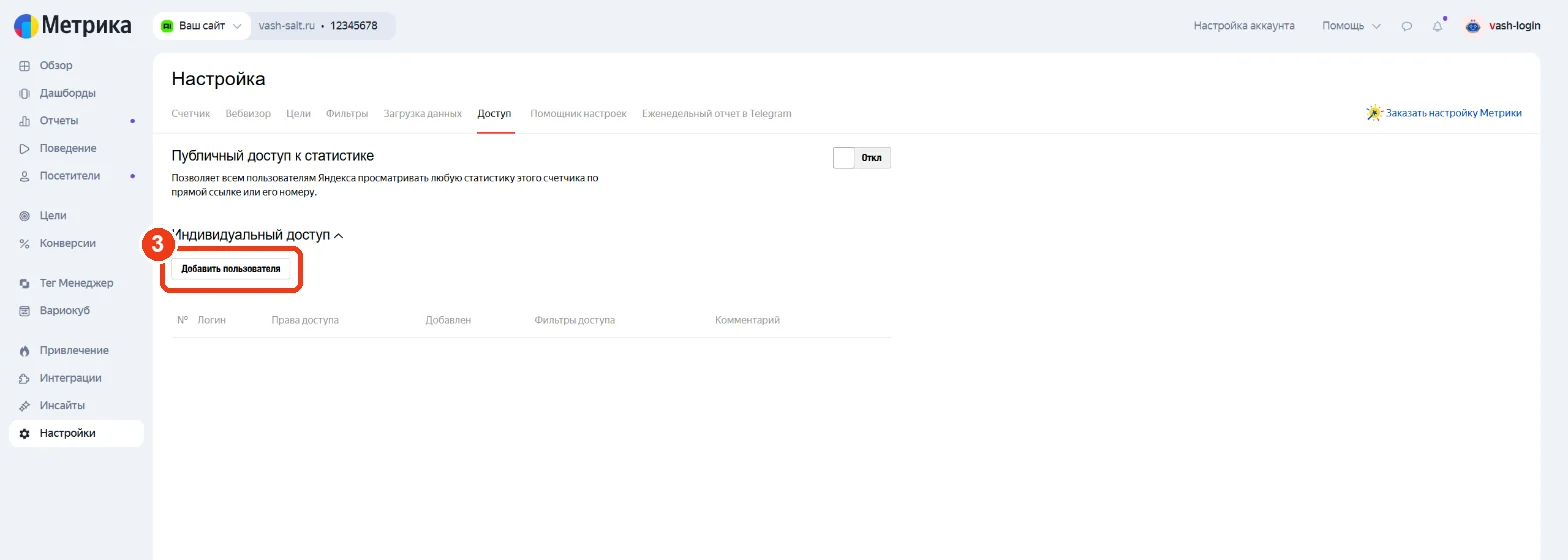
Click «Добавить пользователя»
Under «Индивидуальный доступ» (Individual access) click «Добавить пользователя» — Add user (3).
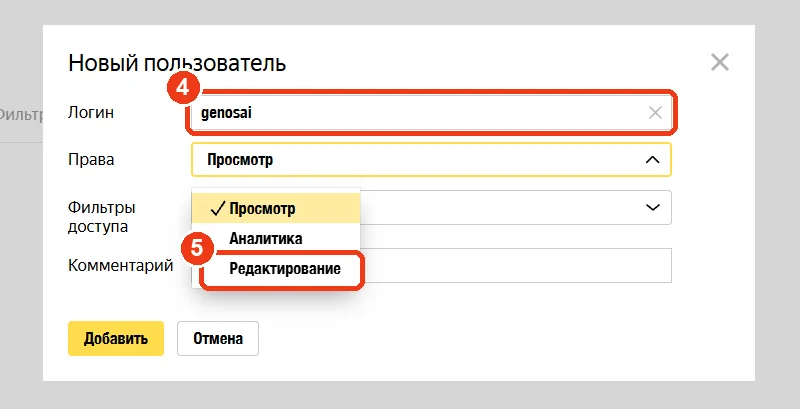
Login genosai, rights «Редактирование»
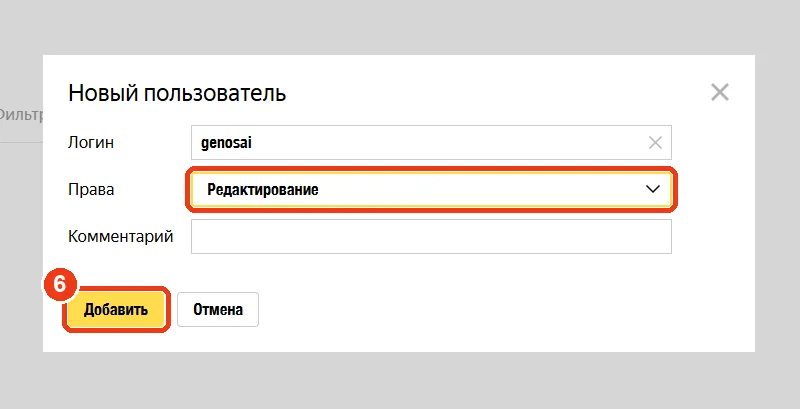
Type genosai in «Логин» (4) and choose «Редактирование» — Edit — in «Права» (5). Then click «Добавить» — Add (6). If a «Сохранить» (Save) button appears at the bottom of the page, click it too. Access works immediately.
Direct: login menu → «Представители» → «Управляющие аккаунты», open the actions menu (⋮) next to genosai and remove it. Metrica: gear → «Доступ», click the cross next to genosai, then «Сохранить». If you don’t see these options, you are not signed in as the account owner.
Done? Let us know
Message us in our chat or by email — we accept the invitation within a working day and get started.
Tell us access is granted